

At some point in the last few years, most church committees discovered hybrid meetings.
Someone’s away. Someone’s unwell. Someone lives two hours away and would quite like not to drive at night.
So we say, quite reasonably: “We’ll just make it hybrid.”
And for a while, it feels like a small miracle. More people can attend. Fewer apologies. The meeting goes ahead.
It looks like inclusion.
And then, slowly… something shifts
You’ve probably seen it.
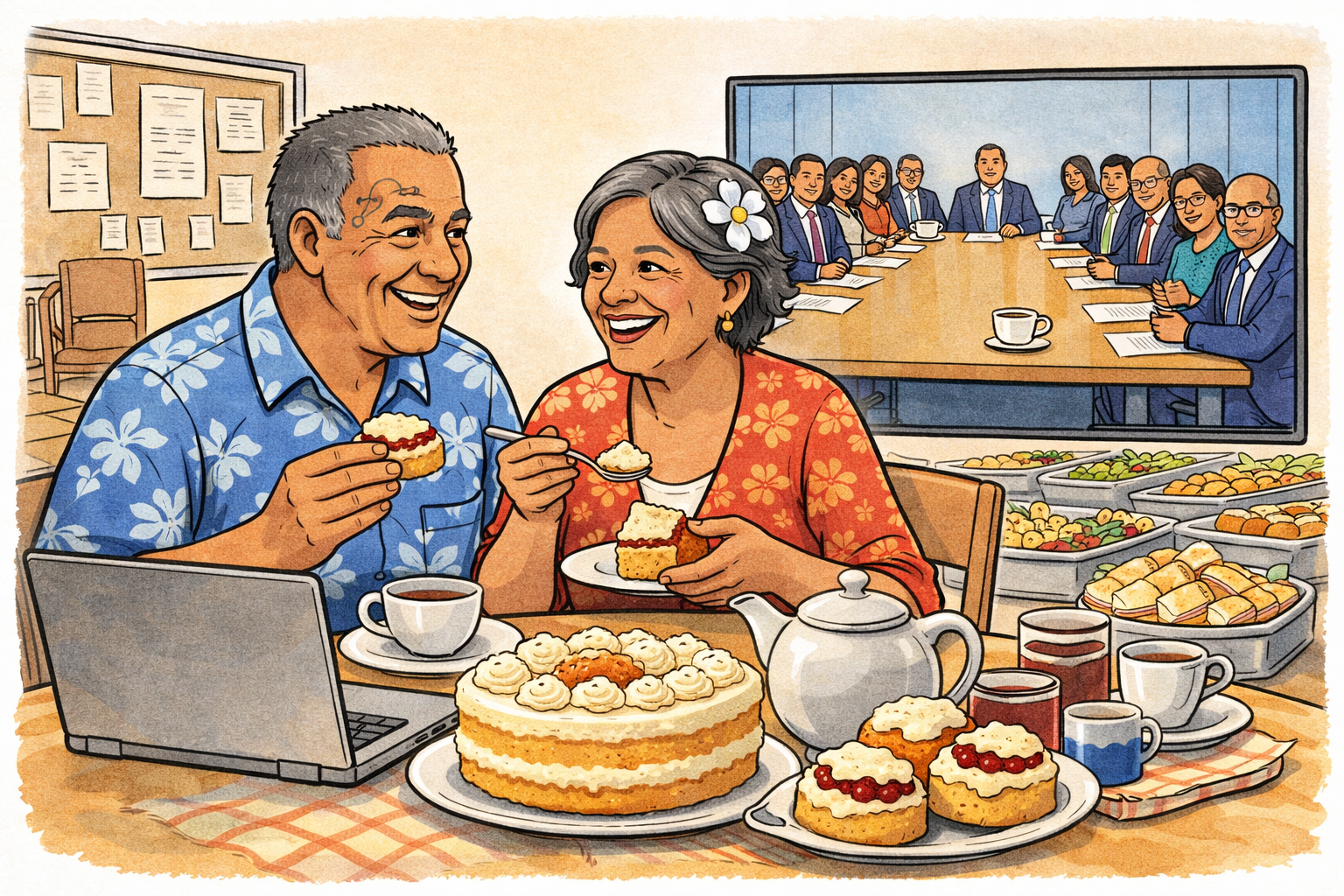
The people in the room start talking. Not rudely — just naturally. They can see each other. They can read the room. They build on each other’s ideas.
Meanwhile, on the screen:
- someone unmutes just a fraction too late
- someone starts speaking and gets talked over
- someone decides it’s easier to stay quiet than interrupt
And the meeting moves on.
No one’s been excluded.
But not everyone has really been included either.
More than missing the biscuits
When you join a meeting remotely, you don’t just miss out on the coffee and biscuits.
You miss the side glances.
The pauses.
The moment where someone leans forward and says, “Hang on — I’m not sure about that.”
You miss the rhythm of the room.
And in a governance setting, that rhythm is where influence lives.
The problem we don’t name
Hybrid meetings don’t just change where people are.
They change how participation works.
And that matters most in the places we tend to care about most – the moments of discussion, discernment, and decision.
Because governance isn’t just about being present. It’s about being able to contribute.
Where hybrid works beautifully
Before we throw the whole thing out — it’s worth saying this clearly.
Hybrid meetings are genuinely useful.
They work well for:
- Information sharing — updates, briefings, reports
- Training and learning — where interaction is structured anyway
- Large gatherings — where not everyone is expected to speak
- Accessibility and participation — enabling people to be present who otherwise couldn’t be (but guardrails are needed …)
In these settings, hybrid increases reach without significantly distorting the outcome.
That’s a good thing.
Where hybrid quietly struggles
The problems tend to show up when the meeting shifts from sharing to shaping.
- testing ideas
- weighing options
- making decisions
- trying to reach consensus
Because decisions tend to form where the conversation flows most easily.
And in hybrid meetings, that’s almost always in the room.
A polite fiction (and a governance risk)
Hybrid meetings create a very tidy story: “Everyone was there.”
And technically, that’s true.
But there’s a quieter question underneath it:
Did everyone have the same chance to shape what happened?
If the answer is “not quite”… – then we’ve moved from convenience into governance risk — even if no one intended it.
Why this keeps happening
It’s not bad behaviour.
It’s physics. And people.
- Sound takes a moment to travel
- Video adds a slight delay
- Interrupting a room you’re not in feels awkward
- Chairpersons naturally respond to the people they can see
None of this is dramatic. But it all adds friction.
And friction, over the course of a meeting, quietly redistributes influence.
This isn’t really a tech problem (but tech can help a bit)
Better microphones and cameras are useful.
But they don’t fix the core issue.
Because the problem isn’t whether people can connect.
It’s whether they can participate on equal footing.
That said, some tools can reduce the gap slightly:
- shared chat or Q&A tools (the introvert’s revenge) can give quieter voices a way in
- live polling can surface views that might not be spoken aloud
- structured digital feedback can slow things down just enough for remote voices to land
These don’t replace conversation.
But they can help rebalance it — especially for those who find speaking up harder in any setting, not just online.
What can be done (without throwing the laptop out the window)
Hybrid meetings aren’t going anywhere. Nor should they.
But they do need a bit more intentionality than we usually give them.
A few small shifts make a surprisingly big difference:
- Flatten the room
If it’s an important discussion, consider having everyone join on their own device — even if they’re in the same building. It feels odd. It works.- Structure the conversation
“Let’s hear from each person” isn’t overkill. It’s inclusion made visible.
- Watch the quiet voices
If someone hasn’t spoken, there’s usually a reason. Good chairpeople notice that.
- Structure the conversation
- Separate discussion and decision
Talk together in hybrid. Confirm decisions in a way that gives everyone equal voice — even if that’s a follow-up vote.
None of this is complicated.
It’s just deliberate.
The uncomfortable bit
Hybrid meetings feel inclusive because they remove barriers to attendance.
But attendance isn’t the same as participation.
And participation isn’t the same as representation.
If we blur those together, we can end up with decisions that are technically shared… but practically shaped by whoever happened to be in the room.
Before your next meeting…
It might be worth asking one simple question: “Will the people joining remotely be able to contribute as easily as the people in the room?”
If the answer is “probably not”… then the meeting needs a bit more thought before it starts.
Because good governance isn’t just about who’s present.
It’s about whose voice actually shapes the outcome.
One last thought
Hybrid meetings are a good tool. They just aren’t a neutral one.
Used well, they open doors.
Used casually, they can quietly narrow them again — just in less obvious ways.
So before your next meeting, take a moment.
Make sure you’re not leaving voices hanging at the end of the line.
Illustration created using AI image-generation tools for d|c|t.

Peter Lane is Principal Consultant at System Design & Communication Services and has over 30 years of experience with Technology systems. We invite your questions, suggestions and ideas for articles. These can be submitted either through the editor or by email to dct@dct.org.nz. We also operate a website focused on building a community of people interested in improving how we use technology in churches, located at dct.org.nz.